🧾 Sub-Account Level User Roles
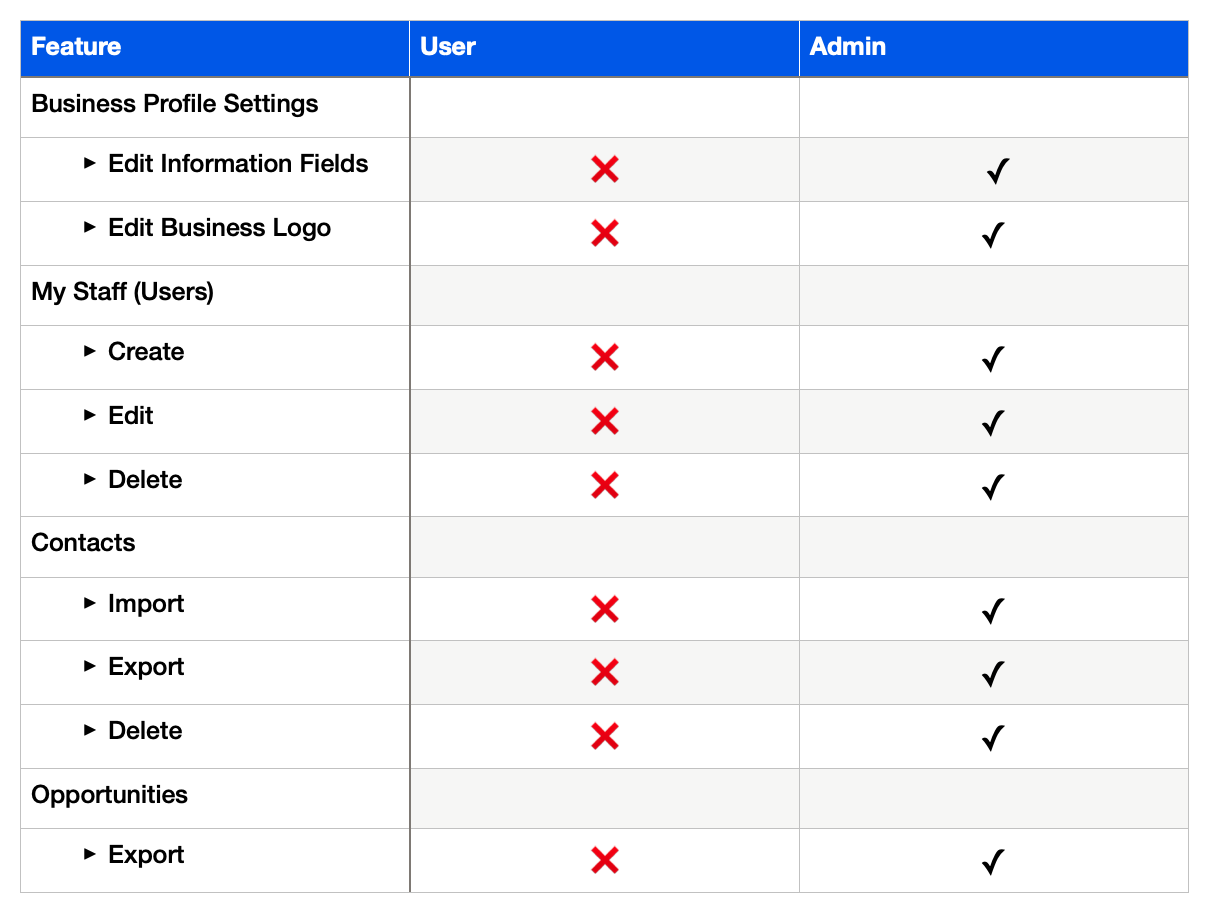
The following is a table outlining permissions of sub-account level roles.
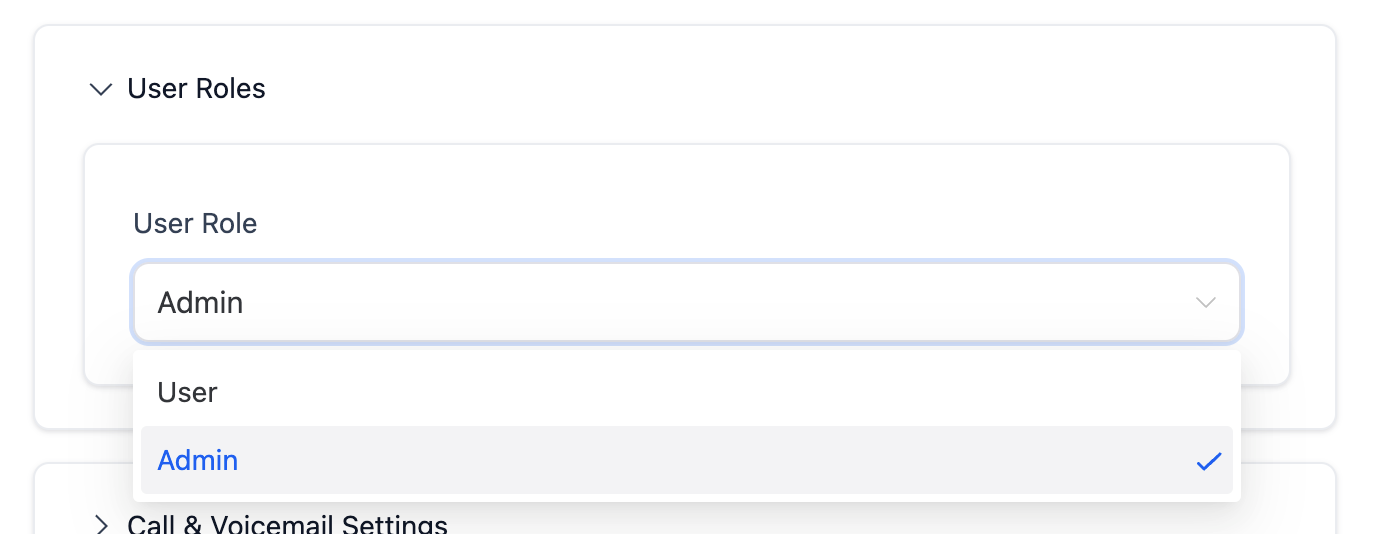
Admins can change the role of a particular user by following these steps:
1️⃣ Navigate to Settings > My Staff
2️⃣ Click the ✏️ Edit (pencil icon) next to the user
3️⃣ Scroll to and expand "User Roles"